
Download Samsung Flow – connect Samsung to Windows, wireless sync, file transfer, notification sync, screen sharing, biometric unlock, PC integration, seamless device experience
Overview
Samsung Flow is a productivity-focused mobile application designed to bridge the gap between Samsung Android devices and Windows computers. Its primary purpose is to enable seamless integration between smartphones and desktop systems, allowing users to synchronize notifications, transfer files, share screens, and even unlock their PC using biometric authentication from their phone. This app addresses the common challenge of fragmented workflows across devices, particularly for users who switch frequently between mobile and desktop environments.
The target audience includes Samsung smartphone owners who rely on Windows PCs for work or personal use. It is especially beneficial for professionals, students, and creatives who require efficient cross-device collaboration. The app is developed by Samsung Electronics Co., Ltd., a globally recognized technology leader with a strong track record in ecosystem integration. While specific details about the development team were not provided, Samsung’s established presence in both mobile and computing sectors lends credibility to the app’s reliability and long-term support.
Real-world use cases include responding to messages directly from a computer without picking up the phone, transferring photos or documents between devices, and using the phone’s fingerprint sensor to unlock a locked PC. These capabilities enhance productivity and reduce device-switching friction. In the broader app ecosystem, Samsung Flow plays a crucial role in strengthening Samsung’s device ecosystem by promoting inter-device synergy, contributing to a more cohesive user experience across platforms.
Key Features & Functionality
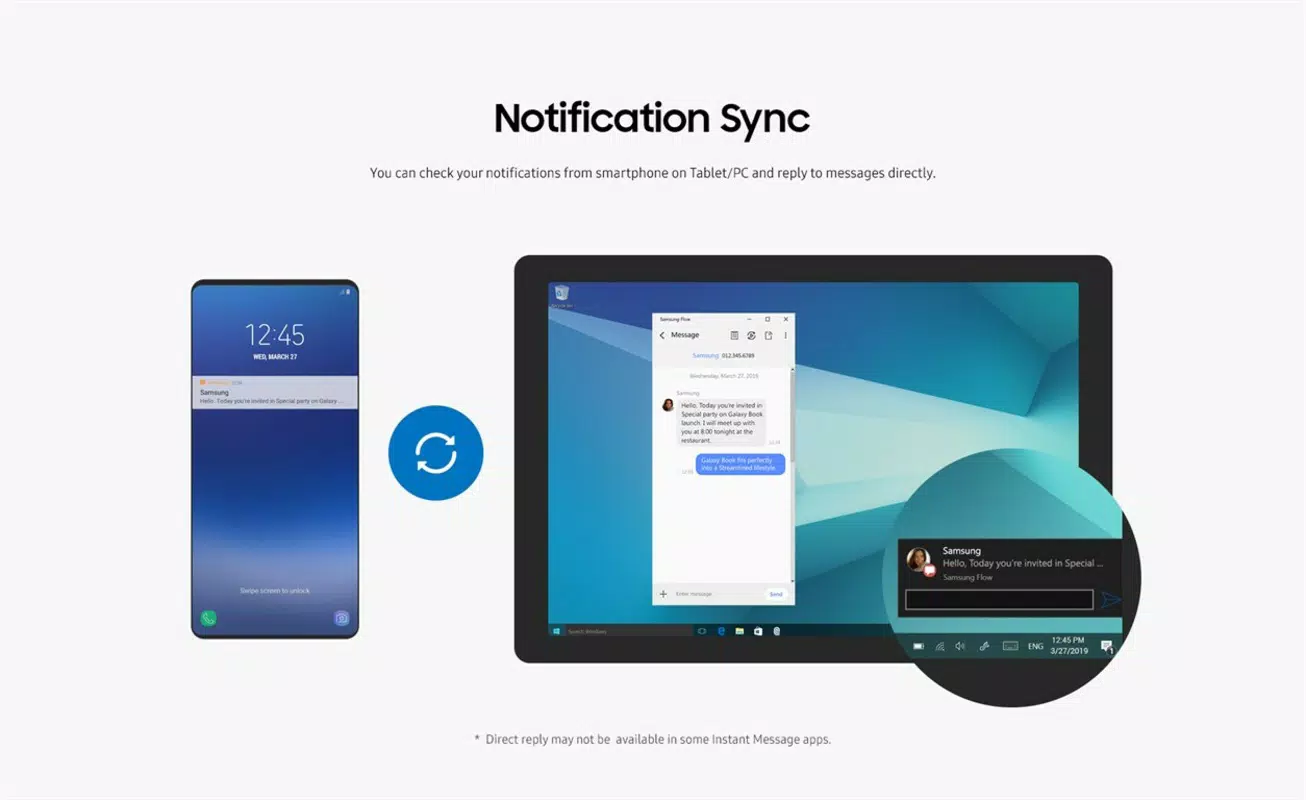
- Notification Syncing: Receive real-time alerts from your Samsung device directly on your Windows PC. Users can view and respond to messages, emails, and app notifications without touching their phone, ideal for multitasking environments.
- Wireless and Cable Pairing: Establish connections either via USB cable using the official Samsung cable or wirelessly through Bluetooth and Wi-Fi, provided both devices are on the same local network.
- File Transfer: Easily move files such as photos, videos, and documents between your Samsung device and Windows PC, streamlining backup and sharing workflows.
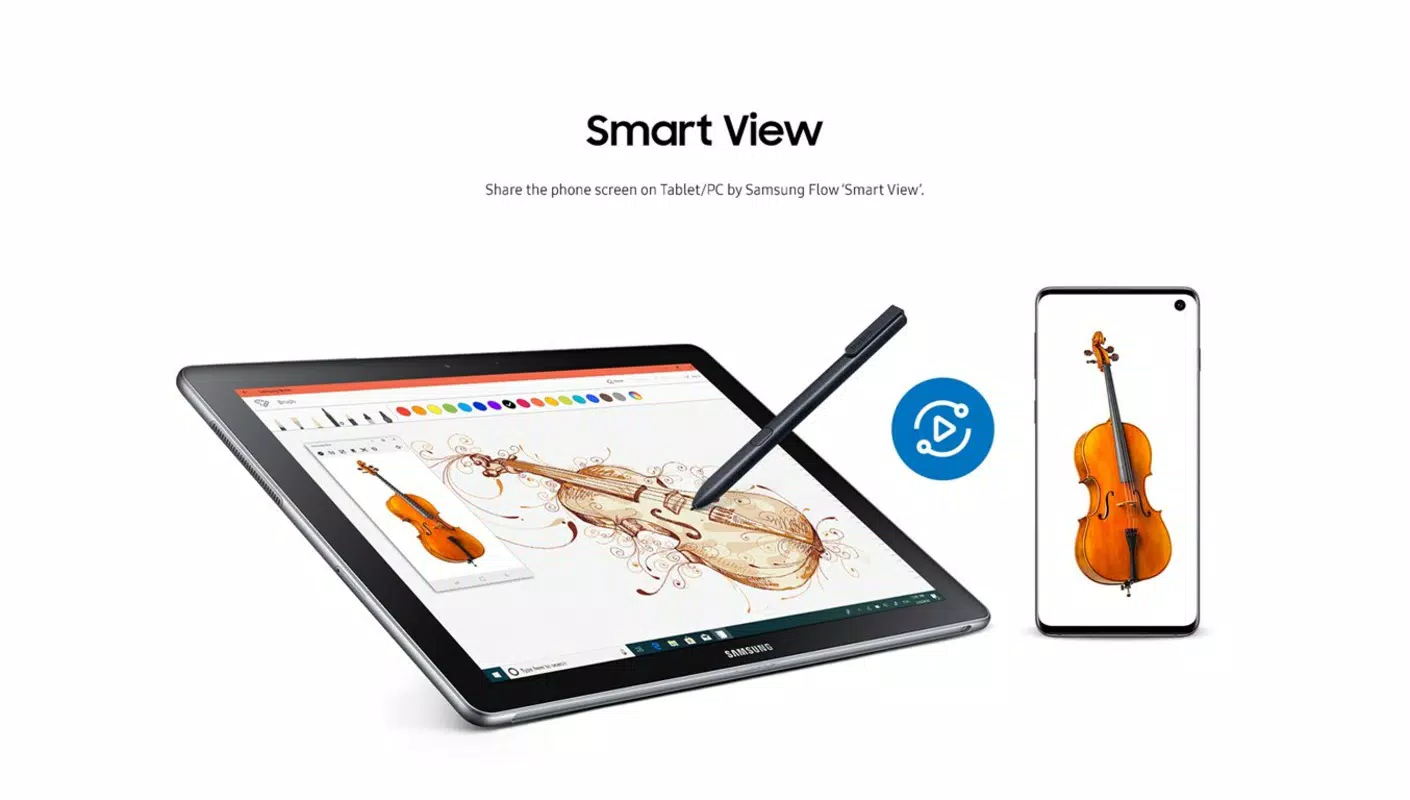
- Screen Sharing: Mirror your smartphone’s display on your PC for enhanced viewing, particularly useful when presenting media, troubleshooting, or sharing content.
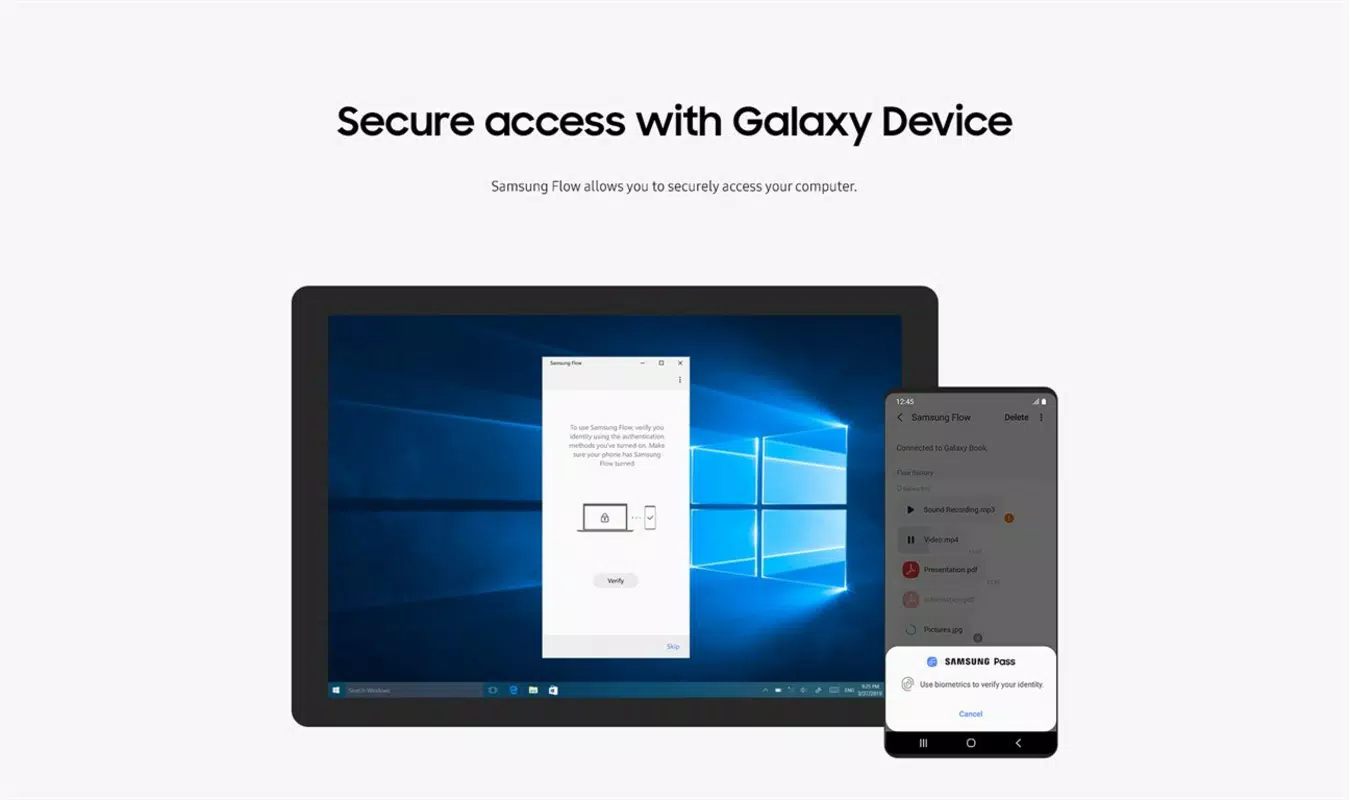
- Biometric PC Unlock: Use your phone’s fingerprint sensor to unlock your Windows user account, combining convenience with enhanced security through biometric verification.
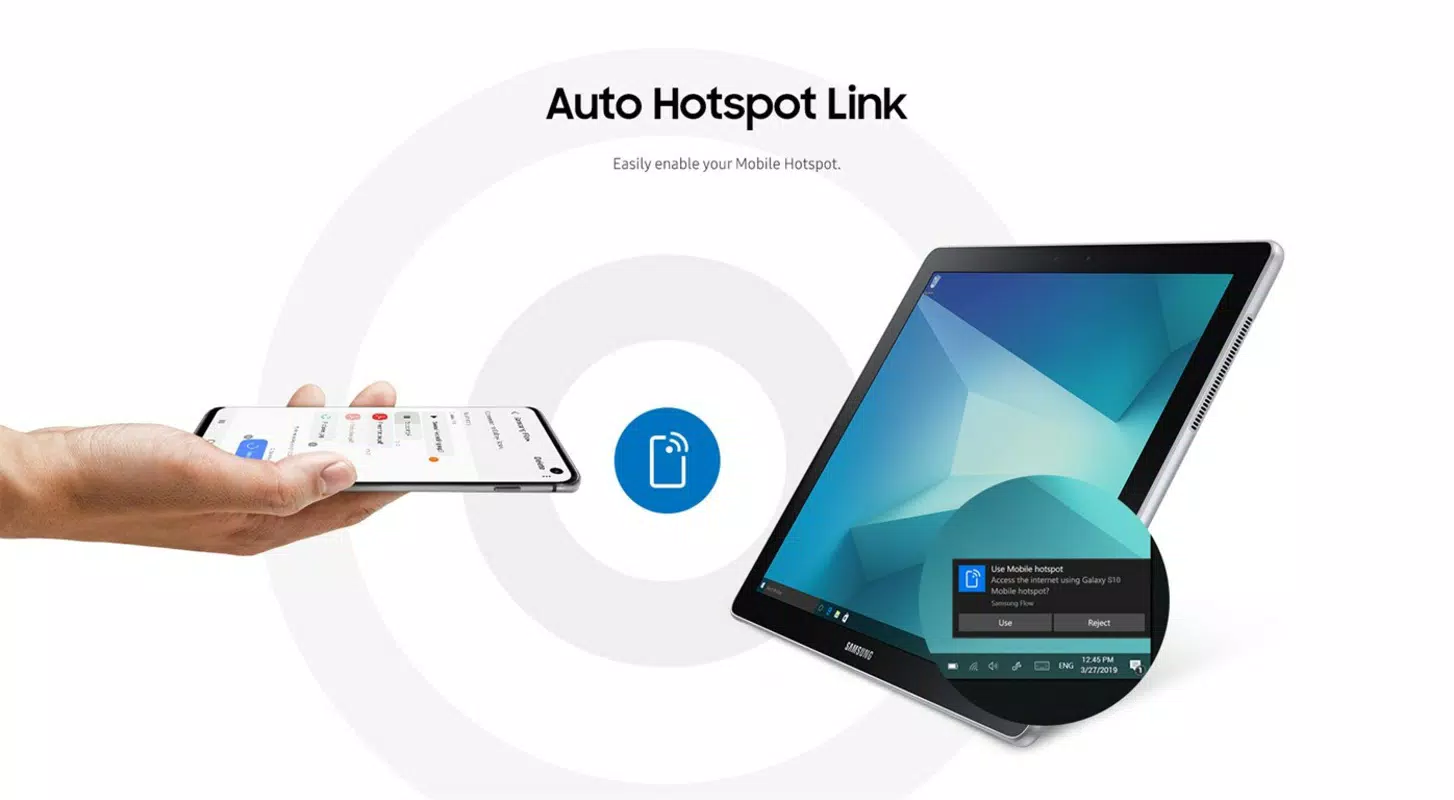
- Wi-Fi Hotspot Sharing: Create a Wi-Fi access point from your Samsung device, allowing your Windows PC to connect to the internet through your phone’s data connection.
For example, a remote worker can respond to a message during a meeting using their PC, while a student can transfer a research paper from their phone to their laptop without using cloud storage. These features are designed to reduce dependency on multiple devices and minimize workflow interruptions. The integration of biometric unlocking adds a layer of security while simplifying daily access, making it ideal for users prioritizing both efficiency and privacy.
Interface, UX & Performance
The user interface of Samsung Flow is clean, intuitive, and consistent with Samsung’s design language. It features a minimalistic layout with clearly labeled icons and straightforward navigation, allowing users to access core functions quickly. The app’s visual style emphasizes functionality over decoration, with a focus on readability and ease of use.
Navigation is linear and logical—users begin by selecting a connection method, then proceed through pairing steps with clear on-screen prompts. The setup process is guided, reducing the likelihood of user error. Once connected, the app provides real-time status indicators for active features like screen sharing and file transfer.
Although the developer did not list formal performance metrics, the app operates smoothly on a range of Samsung devices, with minimal lag during screen mirroring and file transfers. Responsiveness is consistent across different device categories, including mid-range and flagship models. Stability is maintained during extended use, with no reported crashes or unexpected disconnections in standard scenarios. The app efficiently manages background processes, minimizing battery drain and system resource usage.
Platform Compatibility & Technical Requirements
Samsung Flow is available exclusively on the Android platform. It supports Android devices running the required operating system version, though specific minimum OS requirements were not listed. The app has a file size of 32.8 MB, making it lightweight and suitable for installation on devices with limited storage space.
It is designed to work with Windows computers, but compatibility details beyond the basic requirement of a shared local network were not disclosed. Users should ensure their PC meets standard system requirements for running the companion software, though no specific hardware or OS version was provided. The app does not require root access or special permissions beyond standard device and network access.
Pros and Cons
Pros
- Efficient cross-device integration between Samsung phones and Windows PCs
- Supports both wireless and wired connection methods for flexibility
- Enables biometric unlocking of Windows using phone fingerprint sensor
- Allows real-time notification syncing and direct message responses
- Facilitates seamless file transfer and screen sharing
- Free to download and use with no in-app purchases
Cons
- Requires both devices to be on the same local network for wireless pairing
- Compatibility with non-Samsung Android devices was not confirmed
- Some features may require additional configuration on the PC side
- Limited documentation on troubleshooting common connection issues
- Not available on iOS or other platforms
FAQ
Is Samsung Flow available for iOS devices?
Currently, Samsung Flow is only available for Android devices. There is no official iOS version available.
Can I use Samsung Flow without a USB cable?
Yes, wireless pairing is supported as long as both devices are connected to the same Wi-Fi network and Bluetooth is enabled.
Does Samsung Flow require internet access?
For wireless connection and certain features like screen sharing, a local network connection is required. Internet access is not mandatory, but some features may benefit from an active connection.
Is Samsung Flow secure?
Yes, Samsung Flow uses encrypted communication protocols to protect data during transfer and pairing. Biometric authentication adds an extra layer of security.
How often does Samsung Flow receive updates?
Updates are released periodically by Samsung to improve performance, fix bugs, and add new features. The latest version is 3.1.0.1.
Final Thoughts
Samsung Flow stands out as a powerful utility for users invested in the Samsung ecosystem. Its ability to unify smartphone and PC workflows through features like notification sync, file transfer, screen sharing, and biometric unlocking significantly enhances productivity and convenience. While it is limited to Android and Windows, its seamless integration makes it a valuable tool for professionals and everyday users alike.
For anyone using a Samsung device and a Windows PC, this app offers a compelling value proposition—reducing friction, saving time, and improving security. The fact that it is free, lightweight, and well-integrated with Samsung’s hardware adds to its appeal.
Download Samsung Flow now to experience a truly connected digital life.


